
Free
Tickets
Good plans start here.
Concerts, comedy, talks and more reasons to get together.
Events: 10
Any city. Any language. Your choice.
RSD 3,300
Tickets
from RSD 2,190
Tickets
RSD 1,850
Tickets
from RSD 2,500
Tickets
RSD 1,500
Tickets
RSD 1,500
Tickets
RSD 2,500
Tickets
from RSD 3,300
Tickets
Showing 1–9 of 10
THE TIC.RS APP
Your plans.
Always with you.
Find events and buy tickets in the app. From “shall we go?” to seeing you there.

Find it in stores as Belgrade Events.
Scan to download the app
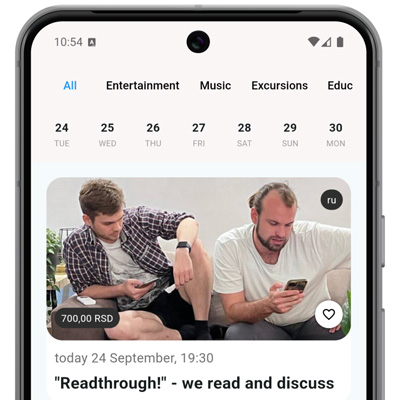 Events you will want to be part of.
TIC.RS
Things to do in Serbia: find your next event
Looking for a concert in Belgrade, stand-up in Novi Sad or plans for an evening out? TIC.RS helps you find events and book tickets, from live music and comedy to talks, workshops and meetups.
Start with your city and date. Compare start times, venues, languages and prices in the listings, then open an event for its programme, address, admission requirements and available ticket options.
Where can I go in Belgrade and other cities?
Choose a city to see its events. If you are travelling to Novi Sad or another city, check the venue address and start time before buying your ticket.
Live music, stand-up or a workshop?
Browse concerts for live music, stand-up for a comedy night, or education for talks and workshops. Within a category, narrow your search by city and date.
What is on today or this weekend?
See events for today, tomorrow or this weekend, then choose your city. If nothing matches, try another date or browse events without a date filter.
How do I find events in a language I understand?
Choose an event language below, then check the description before booking: some events use more than one language. The English version of the website shows events in all languages unless you apply a filter.
Before you book your tickets
How do I buy concert or stand-up tickets?
Open the event and choose a date, ticket type and quantity. If a seating plan is available, select your seats. Then follow the checkout steps. Some events offer reservations or link to another ticket seller; in that case, continue your booking there.
How much are tickets, and what does “from” mean?
Prices depend on the event, date and ticket category. A “from” price is the starting price; your chosen seat or ticket option may cost more. Check the currency and total at checkout. For events marked “Free”, read the description to see whether registration or a reservation is required.
Which payment methods can I use?
Available payment methods are shown at checkout for your particular order. Check the payment method, currency and total before confirming. If you are buying on another website, check the methods offered by that seller.
Where is my ticket, and what if the email has not arrived?
For purchases on TIC.RS, check the email address used for your order, including spam, and My tickets in the account you used to buy. If payment succeeded but you cannot find the ticket, contact support with your order number and purchase email address. For purchases on another website, contact the seller who handled your order.
My ticketsCan I bring a child?
Check the age restriction in the event description. Before booking, ask the organiser whether children are admitted, whether they need their own ticket and whether an adult must accompany them. Rules can differ even between events at the same venue.
What if my plans change or the event is cancelled?
Keep your order number and check messages from the organiser. Ask the organiser or TIC.RS support about refund options and what to do if an event is postponed or cancelled. For tickets bought on another website, contact that seller. Refund procedures and timing are confirmed for your particular purchase.
Help